Best Agency Project Management Software for Managing Multiple Clients
Agency project management software helps teams organize multiple client projects, assign tasks, track deadlines, and keep delivery on schedule without losing sight of each client’s priorities.
Learn which features matter most, how to compare platforms, and how a connected workflow can help your agency move from client onboarding to project delivery.
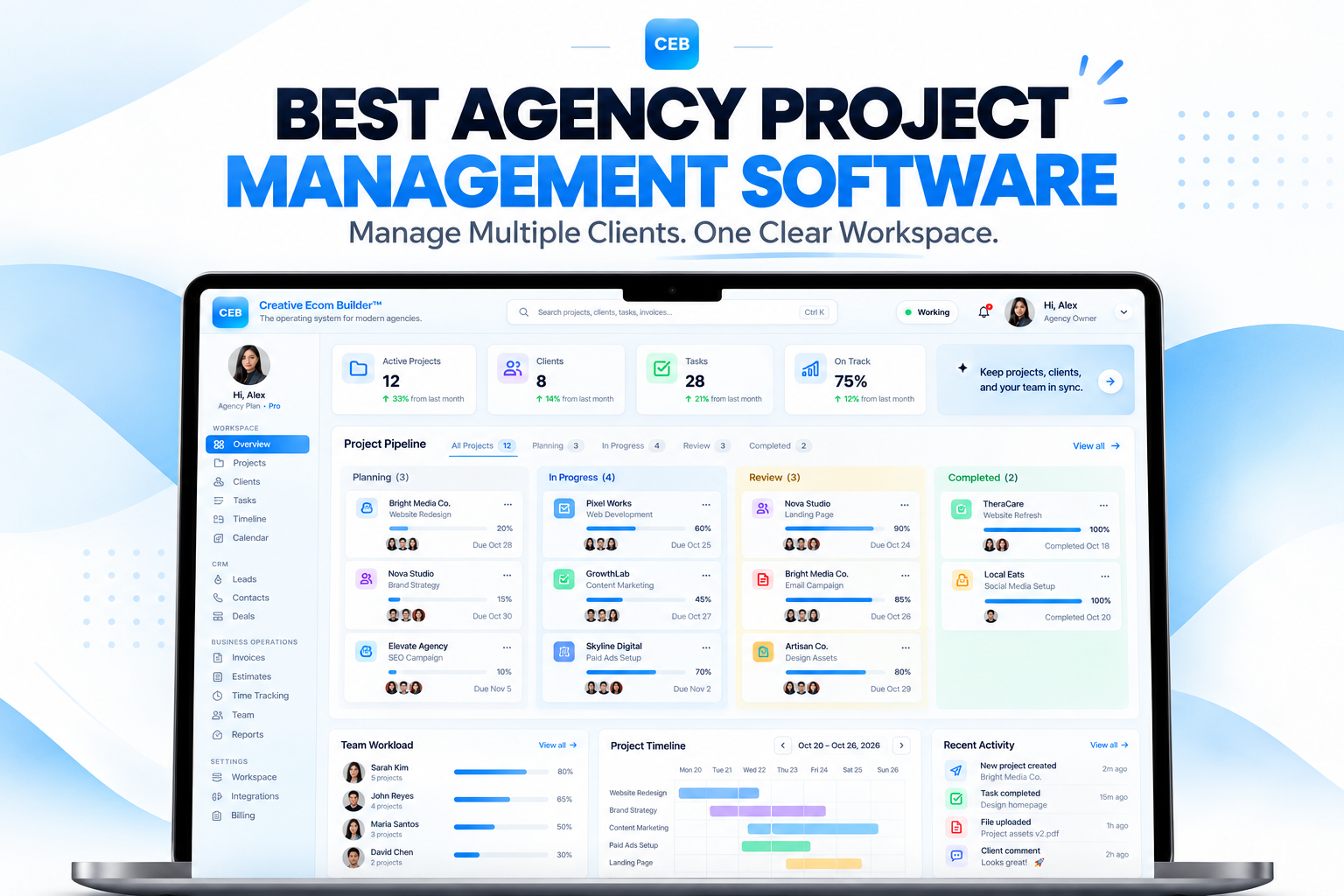
Keep client projects, task assignments, and delivery timelines organized in one workflow.
Keep engagements organized.
See the next action clearly.
Keep milestones on track.
Coordinate work in one place.
More clients bring opportunity. Organized delivery keeps work moving.
Small agencies often manage several client projects at once, each with different deliverables, deadlines, priorities, and communication needs. When tasks live in separate spreadsheets, messages, and calendars, it becomes difficult to see what is due and who owns the next step. Project management software brings plans, assignments, and progress into a consistent system.
What Is Agency Project Management Software?
Agency project management software helps teams plan client work, assign responsibilities, organize deliverables, set deadlines, and monitor progress. For agencies managing multiple accounts, it provides a shared view of what is being worked on, what is blocked, and what needs attention next.
Instead of searching through spreadsheets, email threads, and chat messages, an agency can use project management software to keep project briefs, tasks, due dates, files, and updates organized. This makes it easier to understand project status and decide what needs to happen next.
For example, a web design agency may manage a website redesign, a landing page build, and ongoing maintenance for different clients at the same time. Each engagement has its own scope, deadlines, approvals, and assigned tasks. A project management platform helps the team see each workstream without confusing one client’s priorities with another’s.
Project management software does not automatically make every project successful. Its value comes from giving the agency a dependable process for planning work, assigning ownership, tracking progress, and identifying risks before deadlines are missed.
Why Agencies Need Project Management Software
As an agency takes on more clients and deliverables, informal tracking becomes harder to maintain. Project management software helps address common operational problems that can affect delivery quality and team capacity.
Scattered Project Information
Project briefs, files, feedback, and decisions can end up across multiple tools, making it harder to find the latest information for each client engagement.
Missed Tasks and Deadlines
When tasks and due dates are not clearly assigned, important deliverables can be delayed or overlooked, especially when several projects compete for attention.
Unclear Project Progress
Without clear project statuses, agency owners may struggle to see which deliverables are complete, which tasks are blocked, and which projects are at risk of running late.
Project management should make the next action clearer.
Start by listing recurring deliverables, project stages, task owners, and approval points. Build a workflow around the way your agency actually delivers work, then use reminders, shared calendars, and automation where they help your team stay consistent.
Essential Project Management Features for Agencies
The best agency project management software supports your delivery process without adding unnecessary complexity. Compare these core capabilities when evaluating platforms.
Multiple Client Projects
Keep each client engagement, brief, deliverable, and project update clearly organized so work does not get mixed across accounts.
Task Assignment and Ownership
Assign each task to a responsible team member and make ownership clear so deliverables do not fall between the cracks.
Kanban Boards and Project Statuses
Use visual boards to track work through stages such as planned, in progress, in review, blocked, and complete.
Deadlines and Calendar Views
View due dates and milestones in a calendar so the team can plan capacity and spot schedule conflicts.
Progress and Workload Visibility
Review project status, overdue tasks, and upcoming work to identify bottlenecks and rebalance workloads.
Team Collaboration and Permissions
Give team members access to the project details, files, and responsibilities they need while keeping client information organized.
Client Communication and File Context
Keep relevant updates, feedback, and project files accessible alongside the work they relate to, or integrate the tools your team already uses.
Reusable Templates and Automation
Use project templates and repeatable workflows to set up recurring services faster and reduce manual setup for similar client engagements.
How a Project Workflow Keeps Client Work Moving
A practical project workflow gives every deliverable a clear status, an owner, and a due date. The process can start simply and become more automated as your agency grows.
Define scope and milestones.
Create tasks and owners.
Update task status.
Collect feedback.
Complete and hand off.
Start with a clear project brief. Record the scope, goals, deliverables, dependencies, and approval process so the team understands what success looks like.
Break the work into manageable tasks. Create milestones, define task owners, and set realistic due dates. Keep the project stages simple enough for the team to update consistently.
Make progress visible. Update task statuses, record blockers, and keep upcoming deadlines visible. This helps your team spot delays while there is still time to respond.
Connect onboarding to delivery. Once a client engagement is confirmed, use a repeatable process to set up the project, assign tasks, coordinate approvals, and keep communication connected to the work.
Plan the Project
Document the scope, deliverables, milestones, and deadlines.
Coordinate the Work
Assign tasks, share updates, and monitor progress against the plan.
Review and Deliver
Manage feedback, complete approvals, and hand off finished work.
How to Choose the Best Agency Project Management Software
Compare software based on your real delivery workflow, team needs, and total cost rather than choosing a platform simply because it lists the most features.
Map Your Project Workflow
Write down the steps from client onboarding through planning, production, review, and delivery. Identify where tasks get delayed or information is lost.
Compare Essential Features
Prioritize project views, task ownership, deadlines, calendars, team collaboration, reporting, templates, and the integrations your agency actually needs.
Test a Complete Project
Create a client project, add tasks, assign owners, set deadlines, update statuses, and track a deliverable through review and completion.
Review the total cost. Compare subscription tiers, team-member limits, project limits, automation allowances, integrations, and additional fees. A low starting price does not always mean a low total cost as your agency grows.
Consider usability. Project management software only helps when your team keeps tasks and statuses updated. Choose a system that fits the way your team works and is easy to adopt.
Decide whether you need an all-in-one platform. A dedicated project management tool may be enough if your agency already has reliable systems for client communication and administration. If your team repeatedly transfers information between tools, an integrated platform may reduce duplicated work.
Bring every client project into one connected workflow.
Creative Ecom Builder™ connects client and deal workflows with project delivery in one agency operating environment, helping teams move from a confirmed engagement into organized work.
Instead of managing project execution in isolation, the platform supports a connected workflow where a won deal can lead into project creation and coordinated client work.
When a deal is marked as won, the workflow can create a project. Teams can then coordinate tasks, Kanban views, calendars, and other agency operations from the same environment.
Keep client and deal information connected to delivery.
Turn won deals into organized projects.
Coordinate project tasks and milestones.
Use Kanban boards and calendars to track work.
Frequently Asked Questions About Agency Project Management Software
Here are answers to common questions agencies ask when evaluating project management software for multiple clients.
What is the best project management software for agencies?
The best option depends on your agency’s workflow, budget, team size, and client volume. Compare project views, task ownership, deadlines, collaboration, reporting, templates, and how well the platform supports your delivery process.
Do small agencies need project management software?
Project management software becomes especially useful when an agency manages multiple clients, overlapping deadlines, recurring deliverables, and several team members. It provides a shared way to organize work and make next steps visible.
Can project management software improve client delivery?
It cannot guarantee perfect delivery, but it can help teams clarify ownership, monitor deadlines, spot blockers, and communicate progress more consistently.
What features matter most when managing multiple clients?
Prioritize separate client projects, task assignments, deadlines, calendar views, progress tracking, team collaboration, reusable templates, and a clear way to manage feedback and approvals.
Should an agency use an all-in-one platform?
An all-in-one platform may reduce duplicated data entry and switching between tools, especially when client onboarding, project work, and team operations need to connect. Compare the full workflow and total cost before deciding.
How can an agency manage several projects at once?
Create a consistent project template, assign a clear owner to each task, set realistic deadlines, review upcoming work regularly, and keep project statuses updated. Use a shared calendar or workload view to identify conflicts early.
Latest Articles
Explore the latest practical guides from Creative Ecom Builder, including agency operations, client management, project delivery, and workflow improvement.
More Agency Management Software Guides
Explore more practical articles on agency management software, workflow automation, client management, and connected operations.
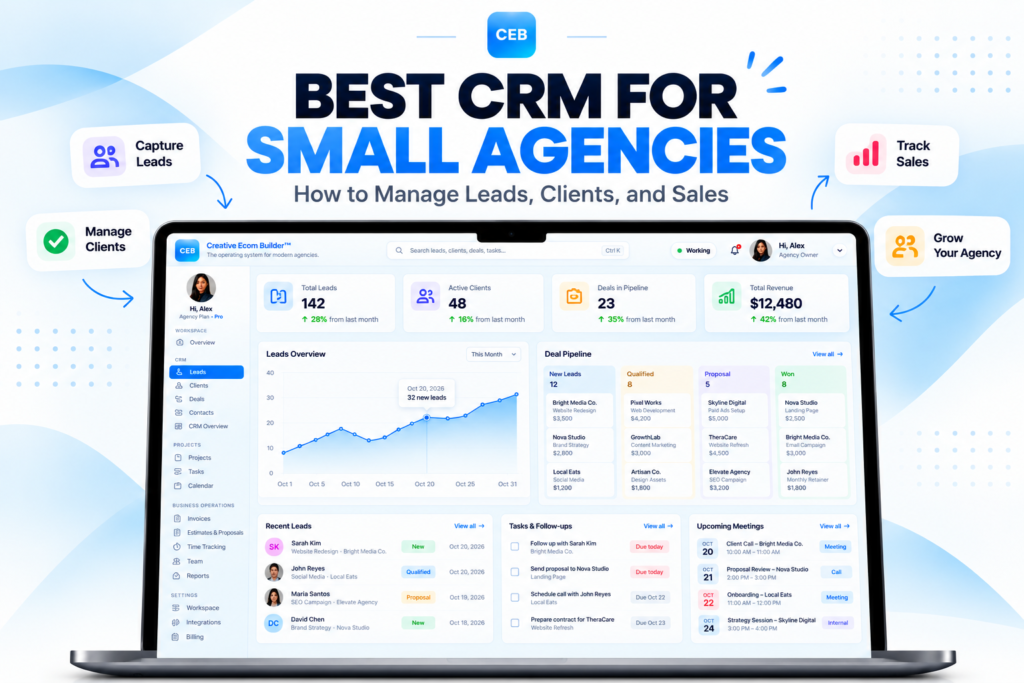
Keep every client project organized. Move work forward.
Explore Creative Ecom Builder™ and see how connected project creation, task management, Kanban views, and calendars can support your agency’s day-to-day delivery.