Project-Based Contract Management
Send client contracts directly from the relevant project page and keep the agreement associated with the work.
Connected to Your Projects
Simplify client contract management with Creative Ecom Builder. Send contracts directly from your project page, let clients sign their agreements, and follow guided next steps after signing. Send onboarding emails in your brand voice, create client workspaces automatically, and keep signed contract access connected to client activation and the client portal.
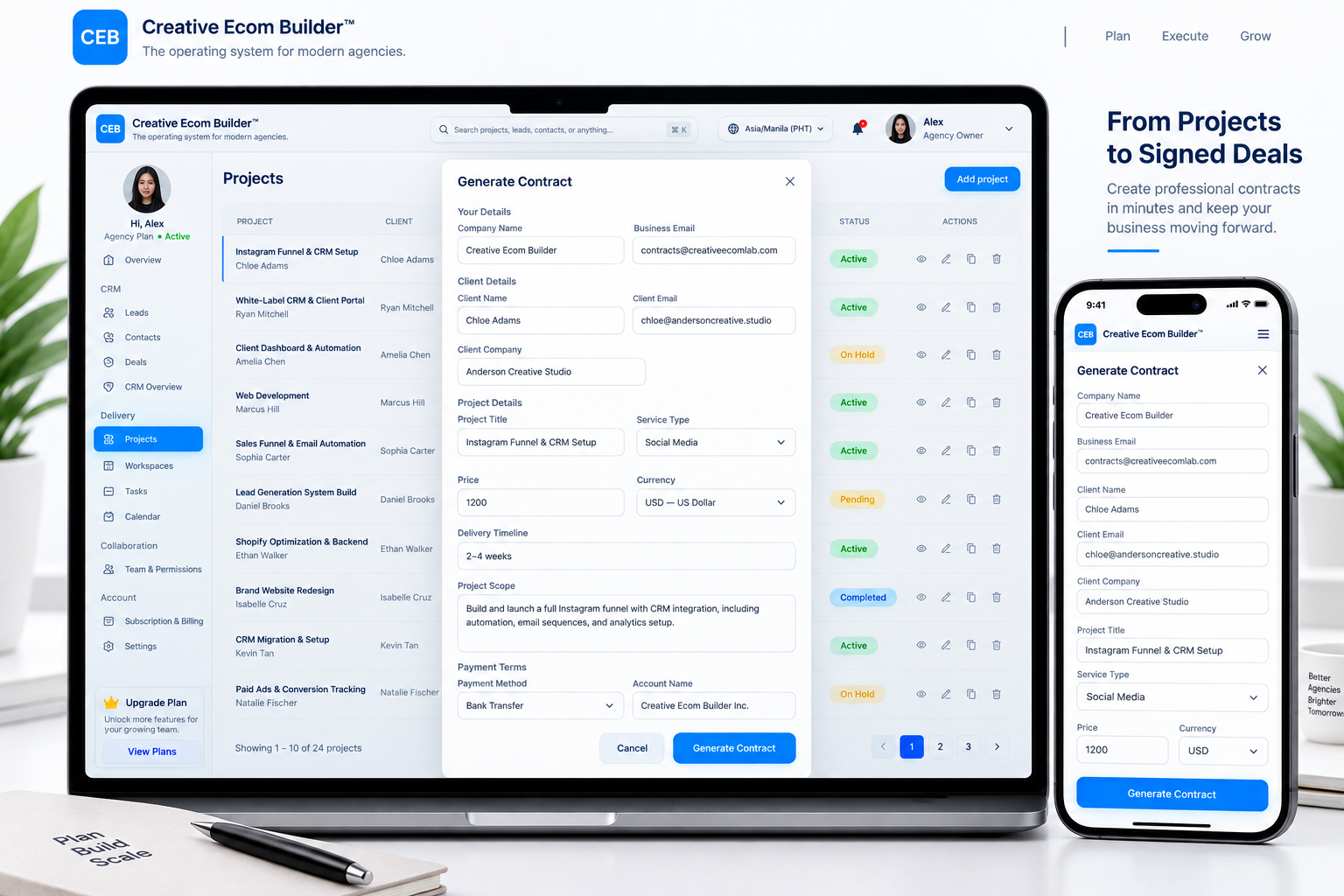
Contracts are an important part of delivering client work. When agreements, project details, onboarding tasks, and client communication are disconnected, it becomes harder to keep the process organized. Creative Ecom Builder connects contract management with your project and client workflow, helping your team move from a signed agreement to the next stage of client delivery.
Keep each agreement connected to the project it belongs to. After the client signs, follow the guided next steps, send a branded onboarding email, and continue through the client onboarding workspace created automatically by the system.
Send client contracts directly from the relevant project page and keep the agreement associated with the work.
Send agreements to clients and continue through the next stage after signing.
Follow the guided flow after the contract is sent and signed, with your team in control of the onboarding email.
Send onboarding messages using your business’s brand voice.
The system creates the client onboarding workspace automatically as part of the workflow.
Keep contract access connected to the onboarding workspace and mirrored to the client’s own portal dashboard.
One connected process for agreements, guided next steps, and client access.
Start from the relevant project page.
Send the agreement to your client.
Continue after the agreement is signed.
Your team sends the branded email.
The client onboarding workspace is created automatically.
Contract management continues beyond the signature. Contract access stays connected to the client activation and onboarding workspace and is mirrored to the client’s own client portal dashboard.
Connect agreements with project delivery, client onboarding, and client access.
Keep the contract connected to its project and follow the guided process after signing.
Know the next steps while your team controls the onboarding email.
Keep contract access connected to the onboarding workspace and client portal.
Contract management software helps businesses organize agreements and contract-related activities. Creative Ecom Builder connects client contracts with projects, guided next steps, onboarding, and client portal access.
Yes. Send a client contract from the relevant project page to keep the agreement connected to the project workflow.
The system guides you through the next steps. Your team sends the branded onboarding email, and the client onboarding workspace is created automatically.
No. You or your team send the onboarding email, so you can use messaging that reflects your brand voice.
Yes. The system automatically creates the client onboarding workspace as part of the post-contract workflow.
Contract access is connected to the client activation and onboarding workspace and mirrored to the client’s own client portal dashboard.
Agencies, freelancers, consultants, and service businesses that manage client projects can benefit from connecting agreements to project delivery and onboarding.
Contracts are sent from the project page. After signing, the guided workflow connects the next onboarding steps with the client workspace and portal access.
Connect project-based contract management with guided onboarding, automatic workspace creation, and client portal contract access.
Get Started with Creative Ecom Builder →✓ Contract signed
✓ Guided next steps
✓ Branded email sent by your team
✓ Workspace created automatically
✓ Client portal contract access