Build clearer project estimates before the work begins.
Calculate project pricing from hours, costs, tax, discounts, and your target profit margin — then keep the estimate connected to the client and project.
Creative Ecom Builder gives your team one place to price the work, review the numbers, save estimates, and move from a proposed price to an approved project.
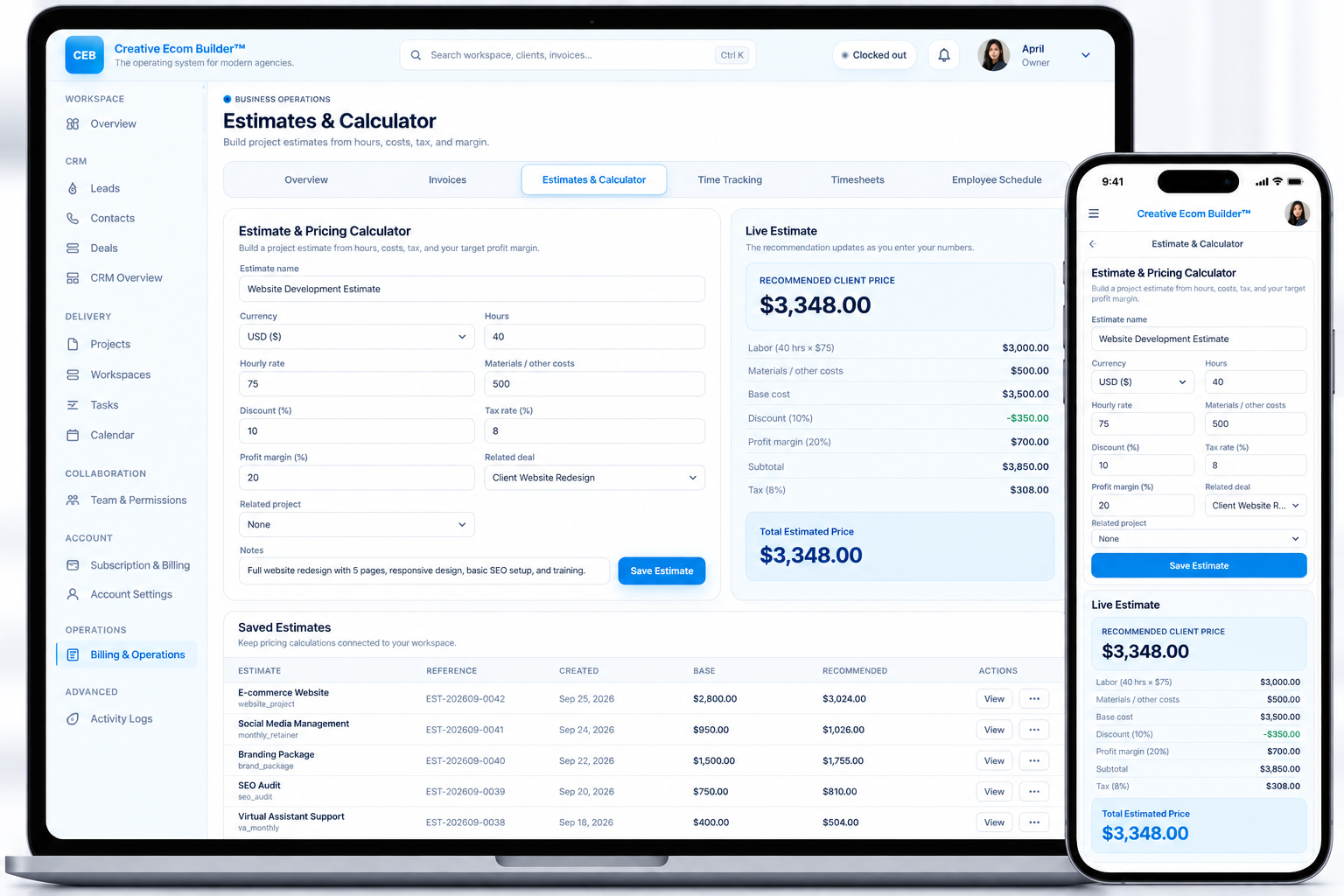
Use hours, rates, materials, discounts, tax, and margin to build the number.
See how costs and profit margin affect the recommended client price.
Keep pricing calculations attached to your workspace instead of losing them.
Move from a clear estimate into the client and project workflow.
Know what the project should cost before you quote it.
Instead of working out pricing in a spreadsheet, calculator, or separate note, Creative Ecom Builder brings the inputs and recommendation together in one workspace — with the estimate record saved alongside your operations.
Turn project inputs into a recommended price.
Enter the hours, hourly rate, materials or other costs, discount, tax, and target profit margin for the work you are pricing.
The calculator uses those inputs to show the base cost, profit, tax, subtotal, and recommended client price so your team can understand where the number comes from.
Start with the hours, rate, materials, and other direct costs.
Apply discount, tax, and your target profit margin.
See the calculated client price and the numbers behind it.
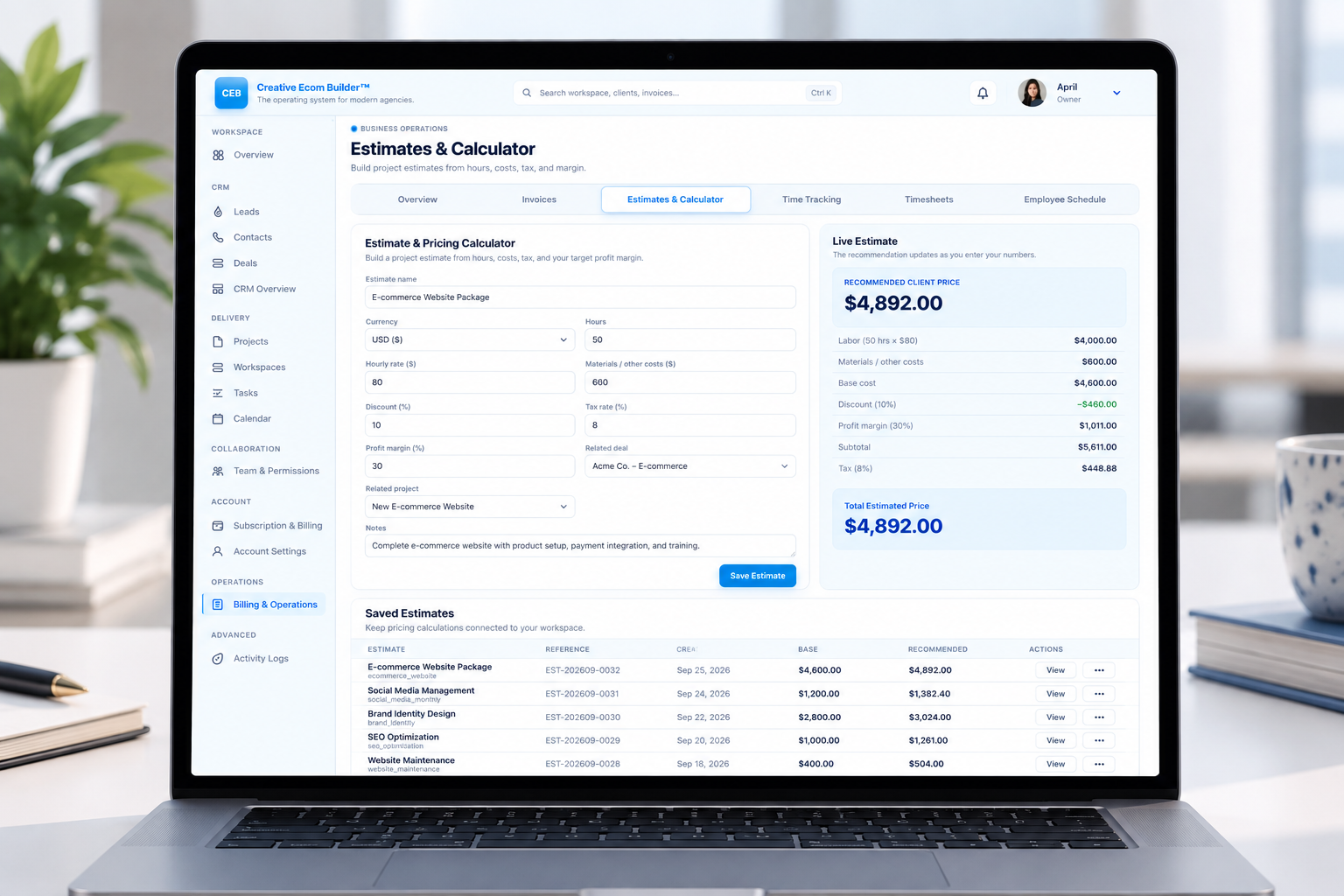
From raw project inputs to a usable quote.
Keep the pricing process understandable from the first number you enter to the estimate you save for the client.
Enter the hours
Set the expected project hours and hourly rate to calculate labor.
Add other costs
Include materials and other costs that belong in the project price.
Set discount, tax & margin
See how your pricing rules change the recommended client price.
Save the estimate
Keep the finished calculation available in your workspace for reference.
See the price change as the numbers change.
The live estimate panel gives your team an immediate view of the recommended client price while the calculator is being completed.
Review labor, materials, base cost, discount, profit, subtotal, and tax in one place instead of calculating each piece separately.
Keep your pricing history easy to find.
Saved estimates give your team a record of the calculations that were created, the reference used, and the recommended pricing that came from them.
Understand where the price actually comes from.
Good estimating is not just one final number. Your team should be able to see the labor, materials, base cost, discount, profit, subtotal, and tax that produce the recommended price.
See the direct cost of the project inputs.
See what your target margin contributes.
See the recommended amount to quote.
Estimates aren’t just calculations. They’re part of the workflow.
A project starts with a scope of work. An estimate turns that scope into a number your team can review and your client can understand.
Keeping the calculation in the same workspace means your pricing history does not disappear into spreadsheets, notes, or disconnected tools.
With hours, costs, tax, discounts, profit margin, saved estimates, and project context in one system, pricing becomes easier to follow.
The result is a clearer path from project idea to a price your team is ready to put in front of the client.
Bring project inputs, pricing, and estimates together.
Calculate client pricing from hours and costs, protect your margin, save estimates, and keep the pricing process inside one connected system.