Best CRM for Small Agencies
Find out how a CRM for small agencies helps you organize leads, manage client relationships, track sales opportunities, and build a more consistent follow-up process.
Explore essential CRM features, practical workflows, and how a connected system can carry client information from the first inquiry into project delivery.
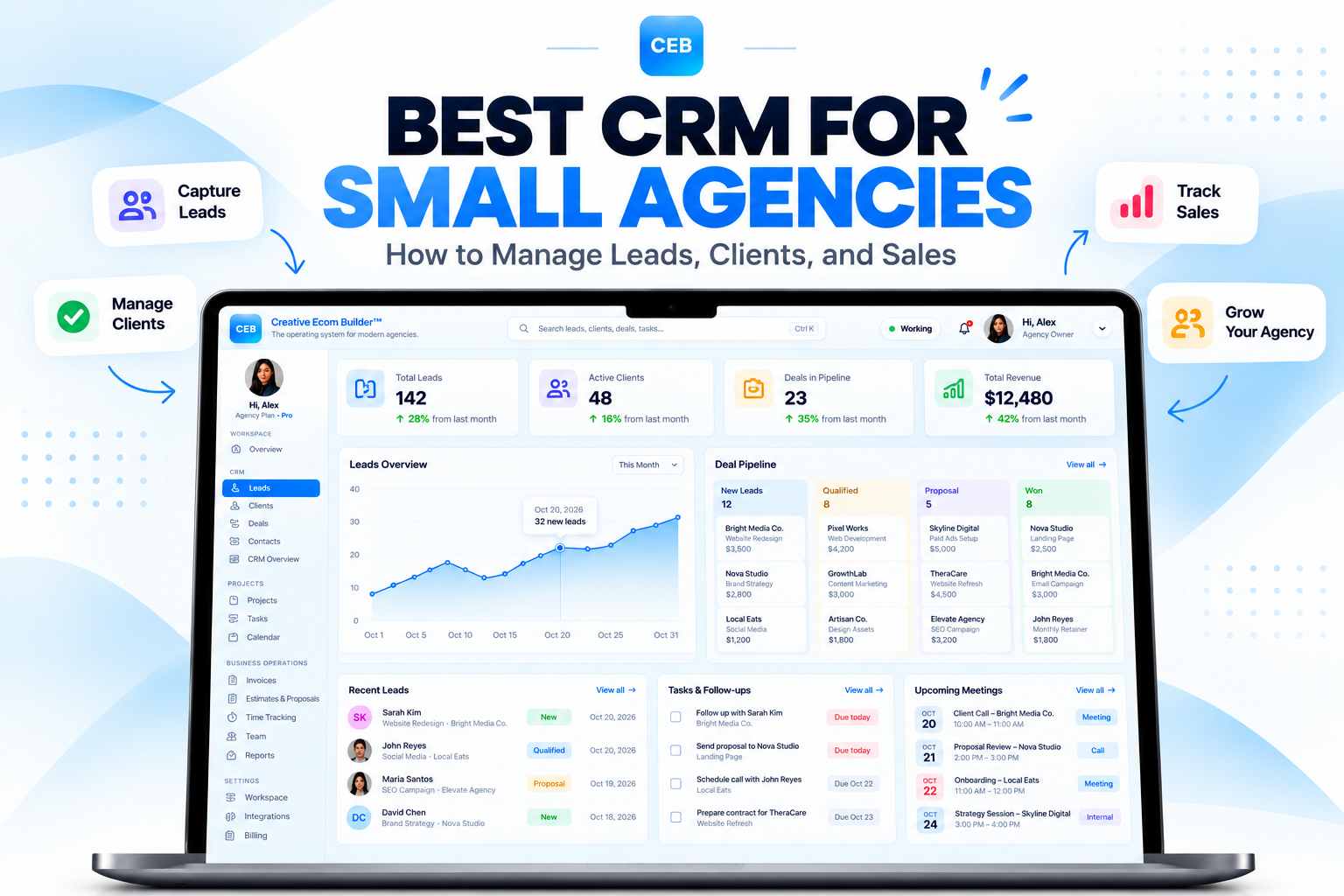
Keep leads, client details, and sales opportunities organized in one clear workflow.
Organize incoming inquiries.
See each deal’s progress.
Keep key details together.
Prepare for project delivery.
More leads are useful. Organized follow-ups matter.
Small agencies often manage sales, client communication, and project delivery with limited time and resources. When lead details live in spreadsheets, conversations stay in inboxes, and deal stages are tracked manually, opportunities can become difficult to manage. A CRM helps bring these relationships and activities into a more consistent system.
What Is a CRM for Small Agencies?
A customer relationship management (CRM) system helps businesses organize prospect information, client records, sales conversations, and opportunities. For small agencies, it can provide a consistent view of the path from a new inquiry to a signed client.
Instead of searching through separate spreadsheets, email threads, and chat messages, an agency can use a CRM to keep contact details, notes, follow-up tasks, and deal stages organized. This makes it easier to understand the history of a relationship and decide what needs to happen next.
For example, a web design agency might receive an inquiry through its website. The team records the lead, qualifies the prospect, schedules a discovery call, sends a proposal, and updates the opportunity as it moves through the pipeline. A CRM helps make each stage visible.
A CRM does not automatically guarantee more sales. Its value comes from giving the agency a dependable process for managing information, following up with prospects, and understanding which opportunities need attention.
Why Small Agencies Need a CRM
As an agency manages more inquiries and clients, informal tracking can become harder to maintain. A CRM helps address several common operational problems.
Scattered Lead Information
Prospect details, inquiry sources, notes, and contact history can end up across multiple tools, making it harder to maintain a complete view of each opportunity.
Missed Follow-Ups
When the next step is not recorded, promising prospects may wait too long for a response or receive inconsistent communication from the team.
Unclear Sales Progress
Without a defined pipeline, agency owners may struggle to see which deals need attention, which proposals are pending, and where opportunities are getting stuck.
A CRM should make the next action clearer.
Start by identifying where leads come from, how your agency qualifies them, and what happens after a conversation or proposal. Build a pipeline around those real steps, then use reminders and automation where they help your team follow through consistently.
Essential CRM Features for Small Agencies
The best CRM for your agency is one that supports your sales process without adding unnecessary complexity. These are the core capabilities worth comparing.
Contact and Client Management
Keep contact information, company details, notes, and relevant interaction history organized in a consistent record.
Lead Capture and Qualification
Collect incoming inquiries and record the information needed to determine whether a prospect fits your services and requirements.
Visual Sales Pipeline
Track opportunities through stages such as new lead, qualified, discovery call, proposal, negotiation, won, or lost.
Tasks and Follow-Up Reminders
Record next steps and due dates so important conversations do not depend on memory alone.
Sales Reporting
Review active opportunities, deal stages, and sales activity to understand where follow-up or process improvements may be needed.
Team Access and Permissions
Make sure the right team members can access the records and responsibilities needed to manage their work.
Useful Integrations
Check whether the CRM connects with your website, email, calendar, and other tools that are important to your workflow.
Project Management Handoff
Consider whether a won deal can lead into client onboarding, project creation, and task coordination without unnecessary duplicate entry.
How a CRM Workflow Moves Leads Toward a Sale
A practical CRM workflow gives every opportunity a clear status and a defined next step. The process can be simple at first and become more automated as your needs grow.
Record the inquiry.
Assess service fit.
Record the next step.
Update the outcome.
Prepare client work.
Start with consistent lead capture. Record incoming inquiries from your website or other channels, including the details your team needs to respond and qualify the prospect.
Define your sales stages. Use clear pipeline stages that reflect how your agency sells. Keep them specific enough to show progress without creating unnecessary administration.
Make follow-up visible. Record the next action, assign responsibility, and set a due date where appropriate. This helps your team maintain momentum when several opportunities are active at once.
Connect sales to project delivery. After a deal is won, the next stage may involve contracts, client onboarding, project creation, and task assignment. An integrated platform can help connect these steps when its features support that workflow.
Capture the Inquiry
Create a lead record and keep the submitted details accessible to the team.
Manage the Opportunity
Track conversations, proposals, next steps, and the current deal stage.
Coordinate the Handoff
Transfer relevant sales information into onboarding and project delivery.
How to Choose the Best CRM for Small Agencies
Compare software based on your real workflow, team needs, and total cost rather than choosing a platform simply because it lists the most features.
Map Your Sales Process
Write down what happens from the first inquiry through qualification, follow-up, proposal, and close. Identify the points where information is lost or work gets delayed.
Compare Essential Features
Prioritize contact records, pipeline tracking, reminders, reporting, team access, and the integrations your agency actually needs.
Test a Complete Workflow
Try creating a lead, updating a deal, recording a follow-up, and moving a won opportunity into your client onboarding process.
Review the total cost. Compare subscription tiers, user limits, automation allowances, integrations, and additional fees. A low starting price does not always mean a low total cost as your team grows.
Consider usability. A CRM only helps when your team maintains accurate records and uses it consistently. Choose a system that fits the way your team works.
Decide whether you need an all-in-one platform. If your existing CRM works well and you already have a project management system, a standalone CRM may be enough. If your team repeatedly transfers information between sales and delivery tools, an integrated platform may be worth evaluating.
Connect your CRM to the work that follows.
Creative Ecom Builder™ is designed to connect lead management, deal tracking, client onboarding, and project delivery in one agency operating environment.
Instead of treating sales and project execution as completely separate activities, its connected workflow supports a transition from a new lead to a deal and then into organized client work.
When a deal is marked as won, the workflow can create a project. The platform also supports tasks, Kanban views, calendar coordination, and other agency operations.
Organize leads and contact records.
Track deals through your sales pipeline.
Connect won deals with project creation.
Coordinate tasks, Kanban, and calendars.
Frequently Asked Questions About CRM for Small Agencies
Answers to common questions agencies ask when evaluating customer relationship management software.
What is the best CRM for small agencies?
The best CRM depends on your sales process, budget, team size, and existing tools. Compare contact management, pipeline visibility, follow-up reminders, reporting, integrations, and how well it connects to project delivery.
Do small agencies need CRM software?
A CRM can be especially useful when an agency manages multiple prospects, ongoing conversations, repeat clients, and several sales opportunities at once. It provides a consistent way to organize records and next steps.
Can a CRM help an agency get more clients?
A CRM cannot guarantee more clients, but it can help teams respond consistently, track opportunities, and identify follow-ups that might otherwise be missed.
What is the difference between a CRM and project management software?
A CRM focuses on contacts, sales conversations, and deals. Project management software focuses on tasks, deadlines, assignments, and delivery. Some agency platforms connect both functions.
Should a small agency use an all-in-one platform?
An all-in-one platform may reduce duplicated data entry and switching between tools. Separate specialist tools may offer more depth in particular areas. Compare the full workflow and total cost before deciding.
What CRM features should an agency prioritize first?
Start with contact records, lead tracking, a clear sales pipeline, follow-up tasks, and useful reporting. Consider project handoffs and automation if they address real gaps in your workflow.
More Agency Management Software Guides
Explore more practical articles on agency management software, workflow automation, client management, and connected operations.
Keep every lead organized. Move work forward.
Explore Creative Ecom Builder™ and see how connected lead management, deal tracking, and project workflows can support your agency’s day-to-day operations.