Connected to Projects
Keep invoices associated with the project and client they belong to.
Create invoices for your projects, send professional billing documents to clients, and keep invoice records connected to the work they belong to.
Creative Ecom Builder keeps project billing organized while automatically reflecting invoice records in the relevant isolated client workspace. Clients can view the invoice information made available to them through their client workspace without manually connecting the invoice to onboarding or the workspace.
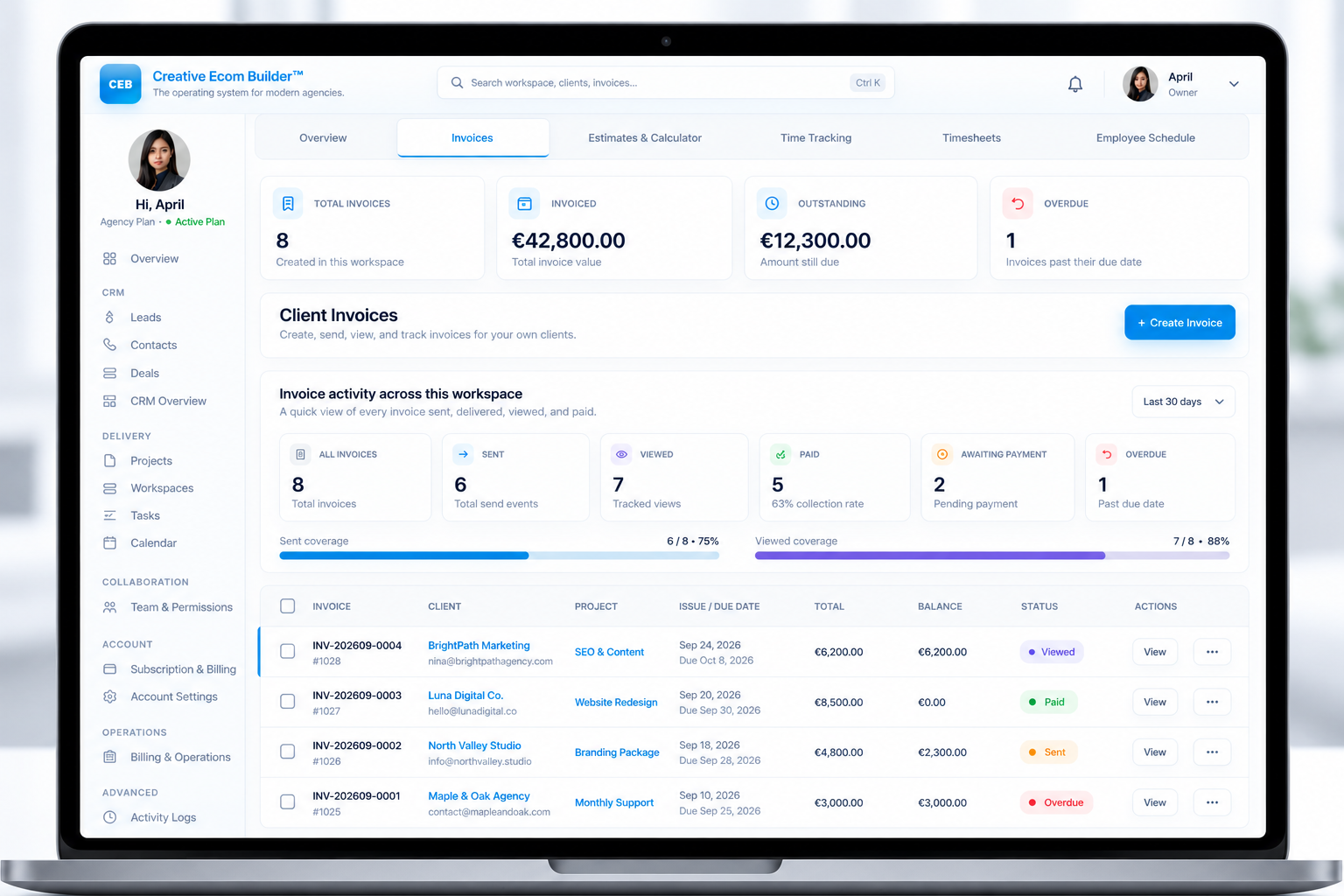
Keep invoices associated with the project and client they belong to.
Prepare professional billing documents with your business information.
Keep track of invoice delivery and available invoice activity.
Keep invoice totals, payment details, and outstanding balances organized.
Keep project billing and invoice records organized in Creative Ecom Builder. When an invoice belongs to a project, its records are automatically reflected in the relevant isolated client workspace. There is no additional step to manually connect the invoice to the onboarding workspace or client workspace.
Create an invoice for the specific project and client it belongs to. Keep billing details connected to the work instead of treating each invoice as an unrelated document.
The invoice record is automatically reflected in the relevant isolated client workspace. The client can view the invoice information available through that workspace without manually linking the invoice during onboarding.
Prepare billing for the relevant client and project.
Maintain the invoice within the project’s billing workflow.
Invoice records are automatically reflected in the relevant isolated workspace.
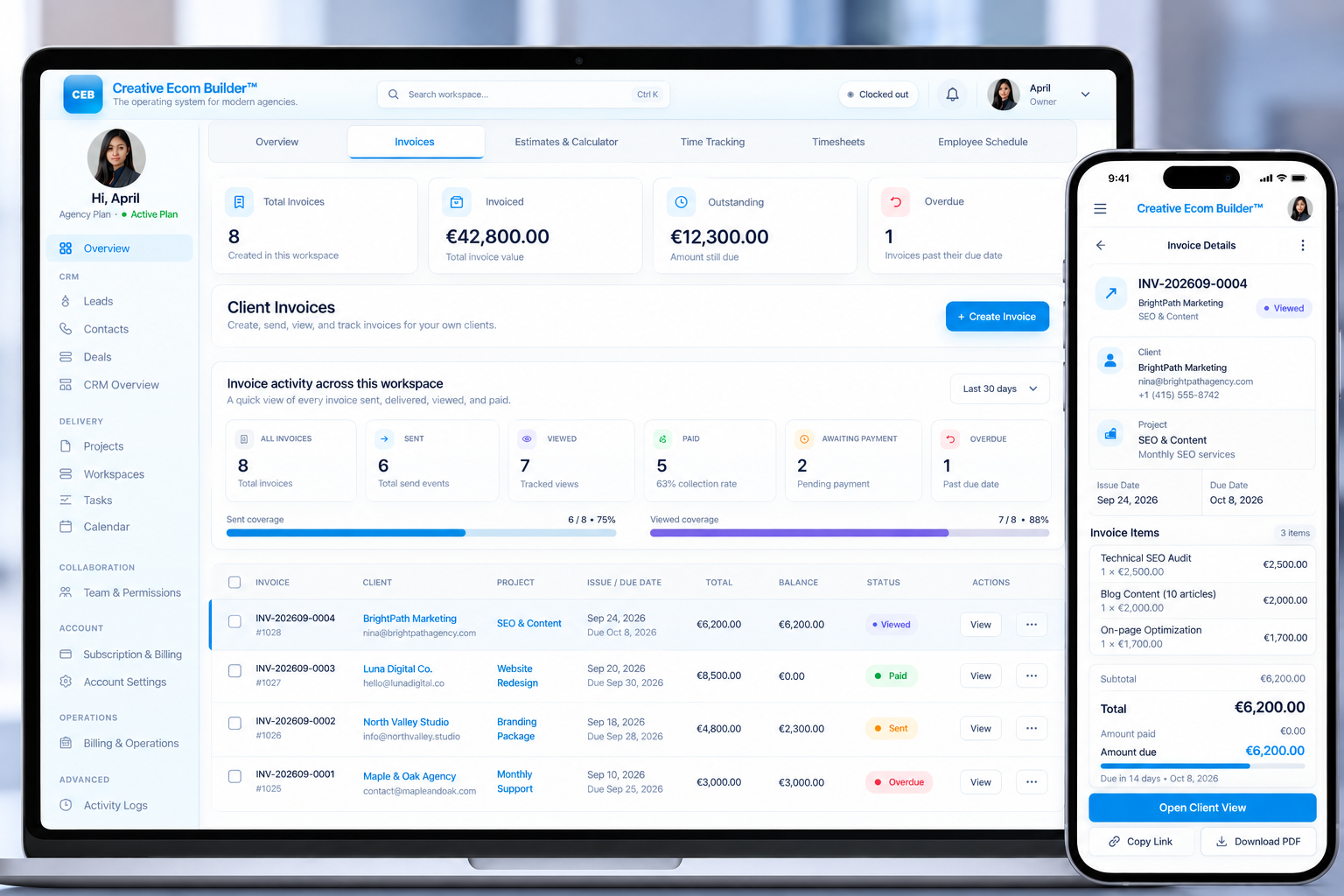
Invoice records follow the connected project workflow and are automatically reflected in the relevant isolated client workspace.
Keep the client, project, and billing context connected.
Prepare the invoice and its associated billing details.
The invoice record appears in the relevant isolated client workspace.
The client can view the invoice information made available in their workspace.
No manual invoice-to-workspace connection. The invoice is automatically reflected in the relevant isolated client workspace.
When invoice records are associated with a project, they are automatically reflected in the relevant isolated client workspace. The client does not need to connect the invoice to the workspace as a separate onboarding task.
This keeps the billing workflow connected to the project and its client. The client can access invoice information made available through their workspace, while your team continues managing the invoice through the platform’s billing workflow.
Invoice records automatically reflected in the relevant workspace.
No separate manual invoice connection during client onboarding.
Client-facing invoice visibility through the relevant workspace.
Manage invoice records as part of your agency’s project and client workflow.
Keep invoice records associated with the relevant client and project, making billing easier to follow within your agency workflow.
Prepare invoice documents with the relevant billing details for your business and client.
Keep invoice delivery and available invoice activity connected to your wider billing workflow.
Keep payment details and outstanding billing records organized for easier review.
Review invoice information in the context of the project and the client it belongs to.
Invoice records are automatically reflected in the relevant isolated client workspace for client-facing visibility.
No. Invoice records are automatically reflected in the relevant isolated client workspace. You do not need to perform a separate manual step to connect the invoice to the onboarding workspace or client workspace.
Invoice records are automatically reflected in the relevant isolated client workspace. The client can view the invoice information made available through their workspace.
No separate invoice-to-workspace connection is required. Invoice records are automatically reflected in the relevant isolated client workspace as part of the connected workflow.
Creative Ecom Builder’s invoice workflow is designed to keep billing associated with the relevant client and project, rather than treating invoice records as unrelated documents.
The invoice is reflected in the relevant isolated client workspace associated with the project. The client can view the invoice information made available through that workspace.
Visit the Client Activation feature page to explore the client onboarding workflow, or see Activity Intelligence for more about activity visibility.
Manage project-connected invoices and keep invoice records automatically reflected in the relevant isolated client workspace, where clients can view the information made available to them.
Explore Client Activation → Explore Activity Intelligence →