Lead Captured · API · Forms · Import Qualified → Auto Create Contact & Deal Deal Won → Project Instantly Created Send Contract · Your Terms · Your Client Send Welcome → Client Workspace Deployed Client Uploads Assets · Structured Onboarding Tasks Sync → Kanban · Calendar · Reminders Execution Tracked · Every Action Logged Delivery Completed · Full Timeline Recorded Repeat the Loop · Scale Without Chaos Lead Captured · API · Forms · Import Qualified → Auto Create Contact & Deal Deal Won → Project Instantly Created Send Contract · Your Terms · Your Client Send Welcome → Client Workspace Deployed Client Uploads Assets · Structured Onboarding Tasks Sync → Kanban · Calendar · Reminders Execution Tracked · Every Action Logged Delivery Completed · Full Timeline Recorded Repeat the Loop · Scale Without Chaos
Glass Hero Section
CONTRACTS

Contract Management Inside Your Workflow

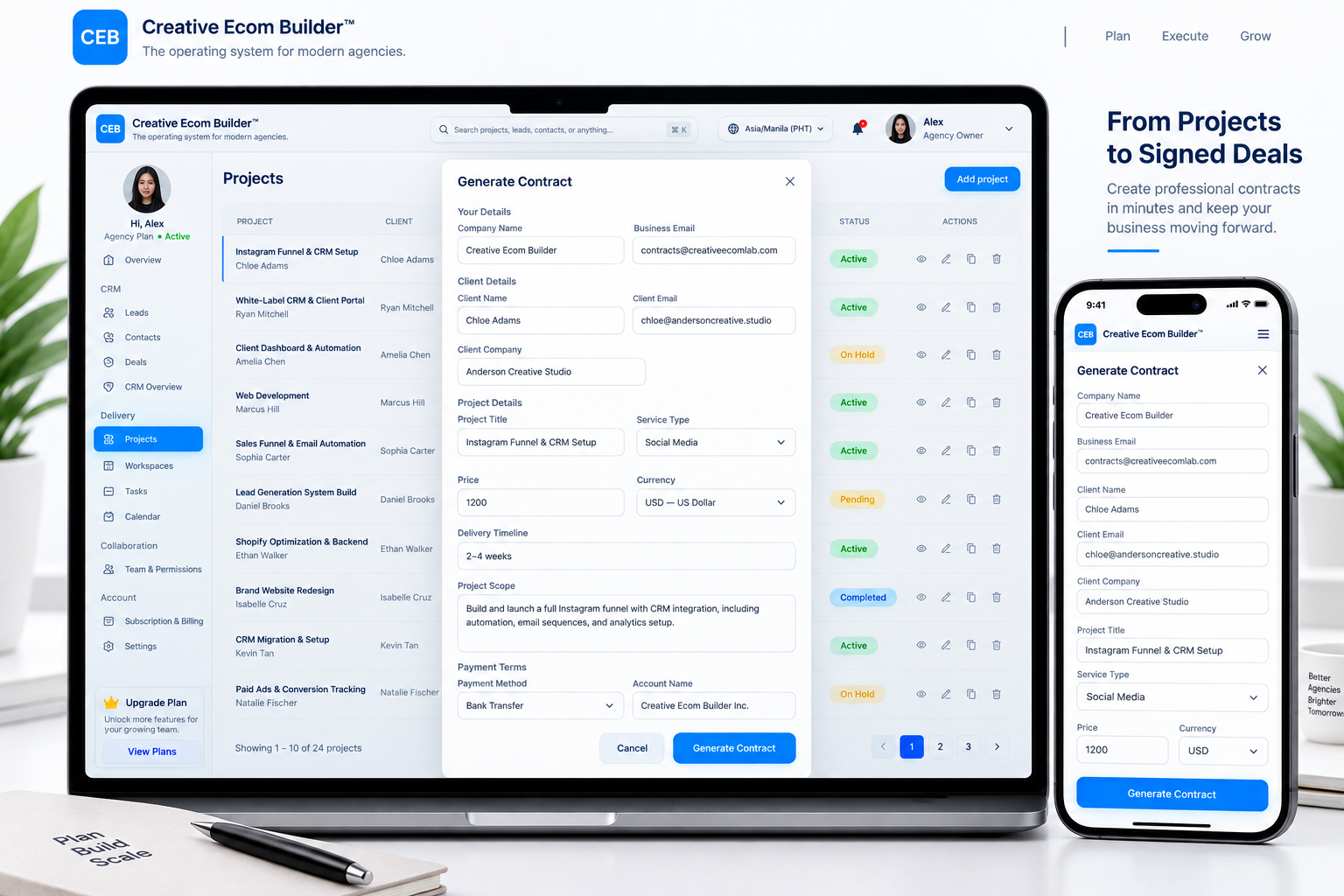
Manage client contracts directly from the project page. Once a contract is sent and signed, Creative Ecom Builder guides you through the next steps, including sending a branded onboarding email that reflects your business voice. The system automatically creates the client onboarding workspace, keeps the contract available in the client activation workflow, and mirrors contract access in the client portal.
✓ Project-based contracts ✓ Guided next steps ✓ Connected client workflow
Creative Ecom Builder contract management workflow connected to projects, client onboarding, and the client portal
↗
Contract Ready Managed from your project
✓
Contract Signed Guided next steps unlocked
From project
to signed agreement. ↗

Create Project Contracts

Prepare and send client contracts directly from the relevant project, keeping agreements connected to the work they cover.

Track Contract Signatures

Keep track of contract progress and signing activity within your workflow instead of managing agreements across disconnected tools.

Guided Client Onboarding

After the client signs, follow the guided next steps, send your branded onboarding email, and let the system create the client workspace automatically.

THE CONTRACT WORKFLOW

From Project to Client Onboarding

Send the agreement from the project page, guide the next steps after signing, and keep client contract access connected.

Open Project Start from the project page
Send Contract Send the agreement to the client
Client Signs Move to the guided next steps
Branded Email Send an email in your brand voice
Workspace Created Created automatically by the system
i

Important: The system guides you after the contract is signed, but the onboarding email is sent by you or your team. The client onboarding workspace is created automatically by the system.

Project Contract
Overview Client Details Project Scope Pricing Terms
CLIENT CONTRACT Website Development Agreement
Signed
CLIENT Acme Studio
PROJECT Website Development
CONTRACT Agreement
STATUS Signed
Contract Signed ✓
✓
Contract Available Connected to client onboarding
CONNECTED CLIENT WORKFLOW

Keep Signed Contracts Within Reach.

A signed contract stays connected to the client workflow. The agreement remains available in the client activation and onboarding workspace, and contract access is mirrored to the client’s own client portal dashboard.

✓ Contracts sent directly from the project page ✓ Guided next steps after the client signs ✓ Branded onboarding email sent by you or your team ✓ Client onboarding workspace created automatically ✓ Contract access available in client activation and the client portal
▣
One Connected contract workflow
◉
Clear Contract status visibility
⚡
Guided Post-signature next steps
◎
Connected Client workspace and portal
READY TO STREAMLINE YOUR CONTRACTS?

Turn Agreements Into Connected Workflows.

Manage client contracts from the project page, follow guided next steps after signing, send onboarding emails in your brand voice, and keep contract access connected to the client onboarding workspace and portal.

Get Started Today →
✓ Contracts, onboarding, and client access in one connected workflow.
✓ Contract Signed
✓ Guided Steps Available
✓ Branded Email Sent Manually
✓ Workspace Created Automatically
✓ Contract Available in Client Portal
Signed agreement.
Connected workflow. ↘