Agency Management Software for Modern Agencies
Connect lead management, sales pipelines, client onboarding, and project delivery in one agency management platform. Build a clearer path from the first client inquiry to organized, trackable work.
Discover the essential features, workflows, and automation capabilities that help agencies manage operations with greater continuity.
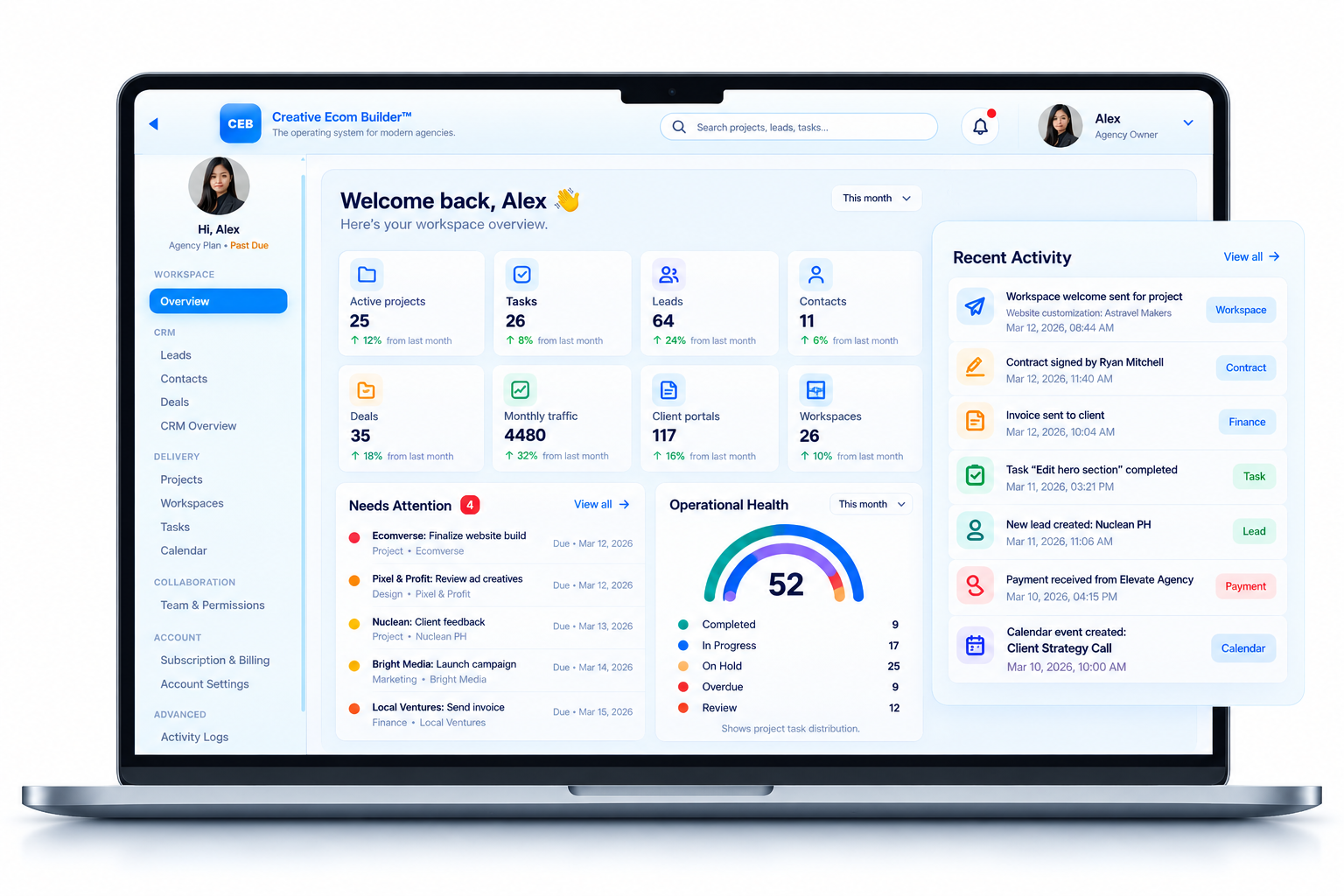
Creative Ecom Builder™ connects essential agency workflows in one operational platform.
Organize inquiries and opportunities.
Connect repetitive operational steps.
Coordinate tasks and client work.
Keep important information connected.
Running an agency takes more than delivering great work.
Every client relationship involves multiple stages: capturing inquiries, qualifying opportunities, preparing contracts, coordinating onboarding, assigning tasks, and delivering projects. When each stage lives in a separate tool, maintaining continuity becomes harder. Agency management software helps bring these activities into a more organized operating environment.
What Is Agency Management Software?
Agency management software is a platform that helps agencies organize client relationships, sales activities, projects, team responsibilities, and business administration. Depending on the product, it may combine CRM, deal tracking, contracts, onboarding, project management, scheduling, invoicing, and reporting.
The purpose is to make the agency’s operations easier to coordinate. Instead of treating lead management, sales, client onboarding, and project delivery as unrelated activities, a connected platform can help information move between the stages of the client lifecycle.
For example, a sales opportunity may progress from a new lead to a qualified deal. When the deal closes, the next operational step is to organize the client relationship and prepare the work. Depending on the software, this transition can involve project creation, contract workflows, workspace setup, and task coordination.
The right platform depends on the agency’s size, service model, team structure, and existing processes. A useful starting point is to identify where information gets duplicated, where handoffs become difficult, and which recurring activities could benefit from automation.
Why Agency Operations Need a Connected System
Disconnected processes can create operational gaps even when every individual tool works as intended. These are three common areas to examine.
Leads Without Continuity
Inquiries, contact details, notes, and follow-ups can become scattered across inboxes, spreadsheets, and separate applications. This makes it harder to maintain a consistent view of the sales pipeline.
Manual Administrative Work
Re-entering client information, preparing documents, updating statuses, and coordinating onboarding can create repetitive work that takes time away from client delivery.
Disconnected Project Delivery
Closing a deal is only the beginning of fulfillment. Teams still need to organize client setup, project tasks, responsibilities, deadlines, and communication.
More tools do not automatically create better operations.
Start by mapping how information moves through the agency. Identify where a lead becomes a deal, how a client is onboarded, and how delivery begins. Then choose software that addresses those specific gaps instead of adding features without a clear operational purpose.
Essential Features of Agency Management Software
Evaluate features according to the actual work your agency performs and how well the platform connects each stage.
Lead Management and CRM
Capture inquiries, organize contact information, maintain notes, and track opportunities through a sales pipeline.
Deal and Sales Pipeline Tracking
Monitor opportunity stages, maintain deal records, and identify the next action needed to move a sale forward.
Contracts and Client Onboarding
Manage contract generation, client signatures, welcome communication, and the transition into active client work.
Project and Task Management
Organize deliverables, assign responsibilities, monitor deadlines, and maintain visibility into project progress.
Calendar and Scheduling
Coordinate meetings, deadlines, reminders, and team schedules alongside the work that needs to be delivered.
Invoicing and Business Administration
Keep billing activities and other administrative processes organized with the client and project workflows they support.
Client Portals and File Collection
Give clients a structured place to access relevant information, submit required assets, and follow their work where supported.
Reporting and Operational Visibility
Review important records, active work, sales activity, and business information without piecing together multiple disconnected views.
How Agency Workflow Automation Connects the Client Lifecycle
Workflow automation connects defined actions to specific events. Instead of manually coordinating every transition, agencies can automate appropriate steps when their software supports the required triggers and conditions.
Record the incoming inquiry.
Organize the opportunity.
Start the next stage.
Coordinate the handoff.
Track the work to completion.
Start with lead capture. A website inquiry can create a lead record containing the submitted information. Qualification and deal tracking then help organize the opportunity as it progresses through the sales process.
Connect sales to onboarding. Once a deal is marked as won, a configured workflow may create a project or initiate the next client setup steps. Contract generation, signature tracking, welcome emails, and workspace creation can help structure the transition.
Carry the work into delivery. Projects and tasks give the team a place to organize responsibilities, deadlines, and progress. Calendar and reporting features can provide additional visibility into ongoing work.
The value comes from connecting the right steps while keeping the process understandable. Not every action needs to be automated; the best workflows automate repetitive transitions without removing the oversight a business needs.
How to Choose the Right Agency Management Software
Compare platforms based on operational fit, not just the number of features listed on a pricing page.
Map Your Existing Workflow
Document how leads enter your business, how deals progress, and what happens after a client signs. Identify repeated manual steps and missing handoffs.
Evaluate Workflow Connections
Check whether records, contracts, projects, tasks, and client information remain connected across the stages your agency uses.
Review Team and Client Experience
Assess permissions, ease of use, client-facing features, onboarding requirements, and how your team will manage daily work.
Check the total cost. Compare subscription tiers, user limits, included capabilities, integrations, and any additional charges for features your agency requires.
Test the actual process. Whenever possible, run a sample inquiry through the entire lifecycle: lead capture, deal management, contract, onboarding, project creation, and delivery. A realistic test reveals more than a feature checklist alone.
Choose for your current needs and next stage. The best agency management platform is one your team can use consistently and that can support the operational complexity you actually have.
From lead management to delivery, one connected system.
Creative Ecom Builder™ is designed to connect the operational stages between capturing an inquiry, managing a deal, onboarding a client, and organizing project delivery.
Its workflows include lead capture and qualification, contact and deal management, contract generation, client onboarding, workspace creation, projects, tasks, and calendar coordination.
When a deal is marked as won, the system can create a project. The onboarding workflow also supports contract generation, digital signatures, welcome emails, and client workspace creation.
Connect lead, contact, and deal records.
Coordinate contracts and client onboarding.
Organize projects, tasks, and calendars.
Keep client operations in a connected environment.
Frequently Asked Questions About Agency Management Software
What is agency management software used for?
It helps agencies manage client relationships, sales pipelines, projects, tasks, scheduling, and administrative processes. The exact capabilities depend on the platform.
Is agency management software the same as a CRM?
Not necessarily. A CRM primarily organizes customer relationships and sales activity. Agency management software may extend beyond CRM into onboarding, project delivery, scheduling, and business administration.
Can agency management software automate client onboarding?
Some platforms can automate parts of onboarding, such as contract workflows, welcome communication, project creation, and workspace setup. Available automation depends on the product and configuration.
What features should a small agency prioritize?
Start with reliable lead and deal tracking, client onboarding, project and task management, and clear visibility into upcoming work. Add more advanced features as operational needs grow.
Can agency management software reduce manual work?
It can reduce repetitive data entry and coordination when records and workflows are properly connected. The results depend on how well the system matches the agency’s processes.
How should an agency compare different platforms?
Compare workflow coverage, automation capabilities, permissions, client-facing tools, usability, integrations, pricing, and the complete process from lead capture to project delivery.
More Agency Management Software Guides
Explore more practical articles on agency management software, workflow automation, client management, and connected operations.
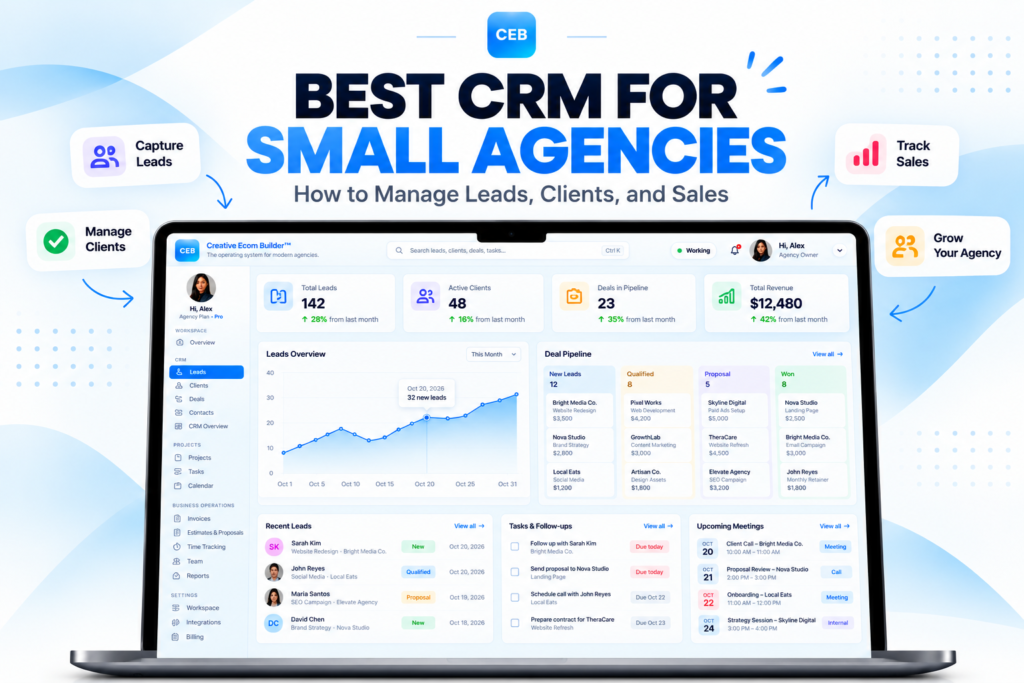
Build a clearer path from lead to delivery.
Explore Creative Ecom Builder™ and see how connected lead management, client onboarding, and project workflows can support your agency’s operations.