Workflow Automation for Connected Agency Operations
Discover practical workflow automation strategies for connecting lead capture, sales, client onboarding, project delivery, and everyday agency operations.
Creative Ecom Builder™ brings revenue and execution together in one connected operating system. Explore how structured workflows can reduce manual coordination, prevent duplicated work, and help teams move from winning a client to delivering the work.
More delivery. Better visibility.
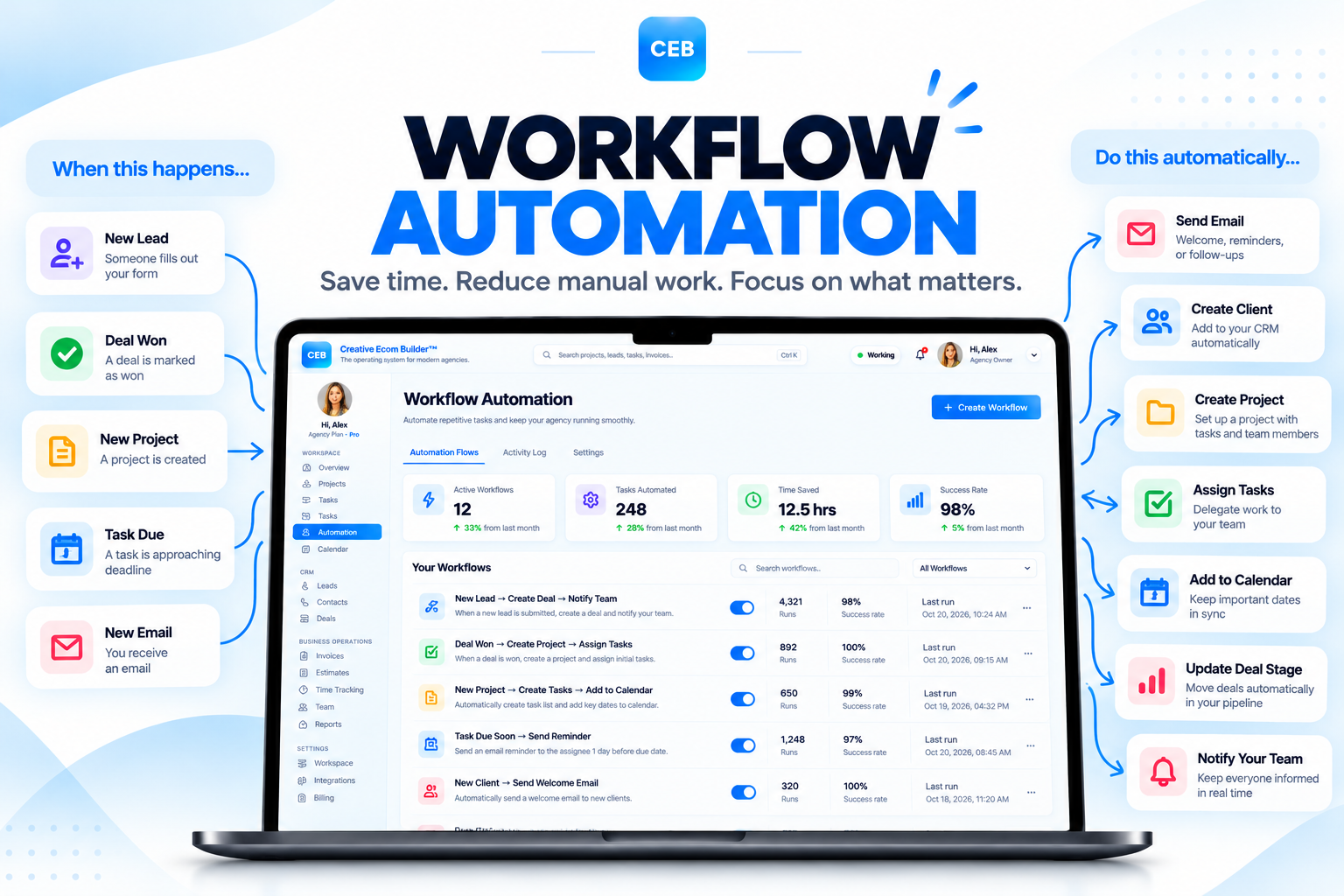
Connect lead management, sales, project execution, and operational tracking in one agency operating system.
Link sales, onboarding, and project delivery.
Reduce repetitive steps and unnecessary handoffs.
Keep task progress and activity easier to follow.
See work move from lead capture to delivery.
Move from disconnected tools to connected workflows.
Workflow automation is about more than automating a single task. It is about designing how information and work move between business processes. For agencies and solo B2B founders, connecting lead capture, qualification, deals, contracts, onboarding, projects, tasks, and activity tracking can reduce administrative friction and make execution easier to manage.
Workflow Automation Guides for Agencies
Explore practical articles about reducing repetitive work, connecting sales and delivery, organizing task handoffs, and creating more consistent agency operations.
More Agency Management Software Guides
Explore more practical articles on agency management software, workflow automation, client management, and connected operations.
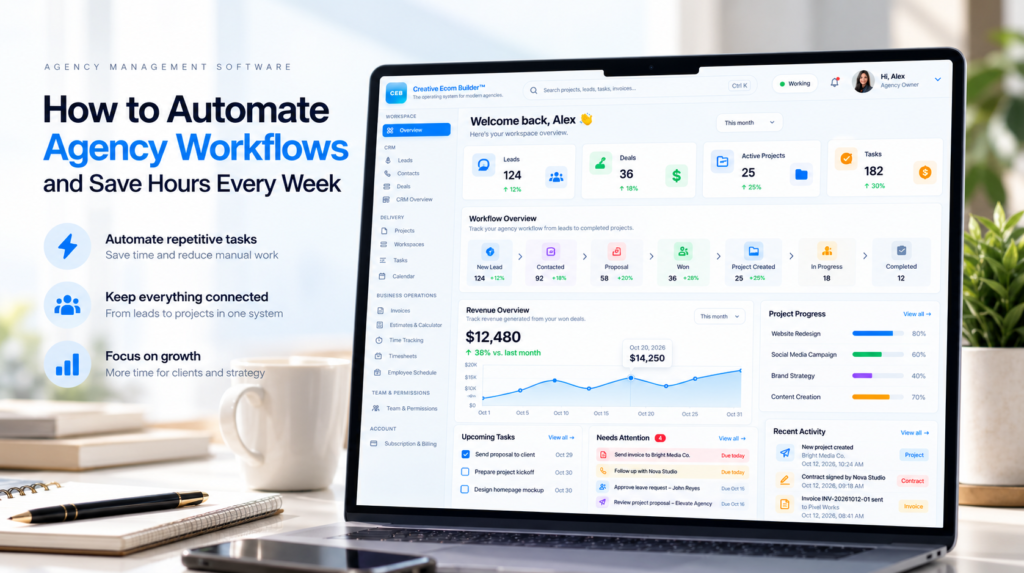
Make every handoff part of a connected process.
From capturing a new lead to creating project work after a deal is won, connected workflows can reduce repeated data entry and make the next step clearer. This resource section automatically loads published WordPress articles assigned to the configured category above.
Key Topics in Workflow Automation
Learn how to connect processes across sales, client management, project delivery, and day-to-day operations without relying on disconnected manual steps.
Lead Capture & Qualification
Organize lead entry from forms, website pages, API connections, and manual imports. Establish clear qualification steps and consistent lead records.
Sales Pipeline Workflows
Structure the movement from prospecting and qualification through proposals, won deals, and lost opportunities.
Deal-to-Project Handoffs
Explore how a won deal can initiate project execution, reducing the gap between sales commitments and delivery work.
Task & Calendar Coordination
Organize assignments, task status, calendars, reminders, and overdue work within a consistent operating process.
Contracts & Client Onboarding
Connect agreements, onboarding steps, client asset requests, and welcome communications with the wider client workflow.
Activity Tracking & Accountability
Maintain visibility into changes, completed actions, project progress, and operational activity across workflows.
Automation should support the entire process.
Automating one isolated step may save time, but connecting related steps can also reduce handoff delays, duplicated information, and uncertainty about what happens next. Design workflows around the full business process rather than individual actions alone.
From First Contact to Project Delivery
A connected revenue-to-execution workflow links the customer journey with the work required to fulfill it.
Lead Entry
Capture incoming leads through website forms, landing pages, API connections, or manual imports.
Qualification & Deal Creation
Organize lead qualification and connect qualified prospects with contact records and sales opportunities.
Deal Pipeline
Track prospects through defined stages, from initial contact and qualification to proposal and final outcome.
Revenue Intelligence
Review pipeline value, expected revenue, deal progress, and operational risks using available business data.
Conversion to Execution
Connect successful sales outcomes to project creation and the delivery work needed to fulfill client commitments.
Contracts & Onboarding
Coordinate agreements, client welcome communications, asset collection, and onboarding activities.
Project & Task Execution
Organize tasks across list, Kanban, and calendar views, with reminders and overdue tracking where available.
Activity & Audit Tracking
Maintain operational visibility into changes, actions, and activity history across the workspace.
Workspace Health
Review overdue items, workload visibility, project progress, and activity indicators to identify work that needs attention.
One connected workflow. A clearer view of execution.
Creative Ecom Builder™ is designed to connect revenue and delivery workflows in one operating system. The aim is to help businesses reduce fragmented processes and maintain clearer visibility from lead capture through client work and operations.
Replace Fragmented Workflows With One Connected System
Many businesses spread their operations across separate CRM, project management, contract, calendar, communication, and financial tools. The result can be more manual coordination between systems.
Disconnected Sales & Delivery
Customer details and commitments may need to be transferred manually from sales into project delivery.
Repeated Data Entry
Maintaining the same information across multiple systems can create duplicated records and inconsistent updates.
Scattered Operational Information
Project status, client communication, and task ownership may be spread across separate workspaces.
Connected Revenue-to-Execution Workflows
Creative Ecom Builder™ brings core CRM, sales, client management, project delivery, and operational workflows together in one platform.
Less tool switching. More operational clarity.
The right level of tool consolidation depends on your business requirements, existing systems, and team size. Evaluate whether a connected platform can replace enough of your current workflow stack to simplify daily operations without losing essential capabilities.
What to Look for in Workflow Automation Software
Choose workflow automation software based on how information moves through your business. The most useful system is one that supports your actual processes, integrations, permissions, and operational requirements.
Lead capture and qualification workflows.
Connections between sales opportunities and project delivery.
Task assignments, calendars, reminders, and status tracking.
Client onboarding, contracts, and communication workflows.
Activity history, accountability, and operational visibility.
Clear pricing, appropriate access controls, and manageable setup.
How to Start Automating Agency Workflows
Start with one repeatable process, clarify the handoffs, and improve the workflow before expanding automation across your entire business.
-
Map the Current Process
Document each step, who owns it, what information is needed, and where delays or duplicated work occur.
-
Identify Repetitive Handoffs
Look for recurring actions such as creating records, assigning tasks, sending updates, or transferring project details.
-
Define the Desired Outcome
Decide what should trigger the next step, what data must be available, and what conditions require human review.
-
Configure and Test
Set up the workflow using your platform’s supported capabilities and test normal and exceptional scenarios.
-
Monitor the Results
Review failures, overdue tasks, missed handoffs, and administrative effort after introducing the workflow.
-
Improve Gradually
Refine the process, document responsibilities, and expand only after the initial workflow is reliable.
Frequently Asked Questions About Workflow Automation
What is workflow automation?
Workflow automation uses defined rules, triggers, and system actions to help move work through a repeatable process with less manual intervention.
Why do agencies use workflow automation?
Agencies can use it to reduce repetitive administrative work, standardize handoffs, improve task visibility, and coordinate work across multiple client engagements.
What is revenue-to-execution automation?
It connects the sales lifecycle to delivery, helping businesses move from lead capture and deal progression into project creation, tasks, and client work.
Can workflow automation reduce tool switching?
A connected platform can reduce switching when it supports several processes in one workspace. The actual benefit depends on the features and workflows your business uses.
Does workflow automation eliminate the need for human review?
No. Important decisions, exceptions, client approvals, and sensitive actions may still require human oversight. Automation should make the process clearer, not remove necessary judgment.
How does Creative Ecom Builder™ support connected workflows?
Creative Ecom Builder™ brings lead management, sales pipelines, project and task management, client onboarding, contracts, and operational tracking into one agency operating system.
Stop coordinating the stack. Connect the system.
Explore Creative Ecom Builder™ and discover a connected approach to lead management, sales, contracts, client onboarding, projects, tasks, and operational visibility in one workspace.